The price on a printer's box is only the start of what you will pay. Over a few years, most people spend more on ink or toner than on the printer itself. Cost per page turns those running costs into one number you can compare across any two printers, whatever the technology. This guide explains where the figure comes from, how to calculate it yourself, and how to combine it with the purchase price to see the true cost of owning a printer.
What you'll need
- The model numbers of the printers you are comparing
- The price of each replacement cartridge, bottle or toner
- The rated page yield of each one, from the box or the maker's website
- A rough idea of how many pages you print in a month
Step by step
6 steps-
Step 1 of 6
Find the page yield for each supply
Every cartridge, ink bottle or toner has a rated page yield: the number of pages it should print under a standard test. Look for it on the packaging or on the product page for that supply. Reputable yields are measured with ISO/IEC test methods: ISO/IEC 24711 for inkjet cartridges, ISO/IEC 19752 for black toner and ISO/IEC 19798 for color toner. If a yield does not mention a standard, treat it with caution.
-

Step 2 of 6
Note the current price of each supply
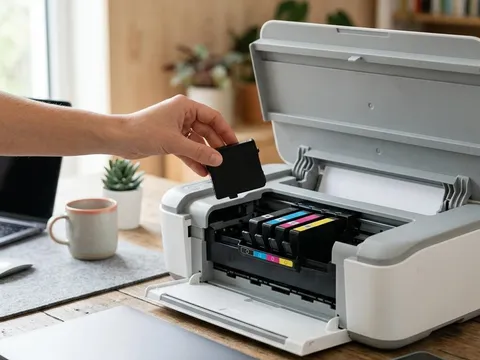
Use the price you would really pay, from a store you would really use, for the standard and high-yield versions if both exist. High-yield, often marked XL, cartridges cost more each time but usually give a lower cost per page. Ignore the starter cartridges that ship in the box; they often hold less ink than a full replacement.
-

Step 3 of 6
Divide price by yield
Divide the price of the supply by its rated yield. A black cartridge costing $24.99 that is rated for 300 pages works out at about 8.3 cents per page. A black toner costing $79.00 rated for 2,600 pages comes to about 3.0 cents. A black ink bottle costing $15.99 rated for 7,500 pages comes to about 0.21 cents.
-
Step 4 of 6
Add up the colors for a color page
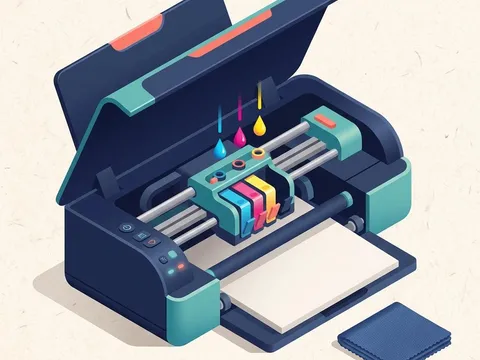
For color printing, add together the cost per page of each color supply. A printer with separate cyan, magenta, yellow and black supplies has four figures to add. Printers with a single tri-color cartridge make this simpler, but when one color runs out you replace the whole cartridge, which can raise the real cost.
-

Step 5 of 6
Estimate your monthly page count
Think about a typical month: school work, forms, tickets, photos, reports. Most homes print somewhere between 20 and 200 pages a month. Write down a realistic figure, and note how much of it is color. If you are unsure, check the page counter in your current printer's settings or on its status report.
-
Step 6 of 6
Work out the total cost of ownership
Multiply your monthly pages by 36 for a three-year view, then multiply by the cost per page and add the printer's price. At 150 black pages a month, that is 5,400 pages. A printer costing $89 at 8.3 cents per page totals about $537. A printer costing $249 at 0.21 cents per page totals about $260. The cheaper printer becomes the more expensive one surprisingly quickly.
Why the cheapest printer is often the most expensive
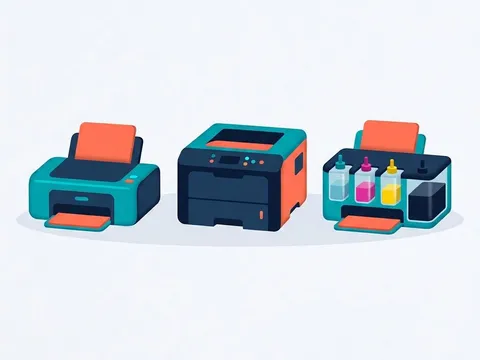
Many low-priced printers are sold close to cost, with the maker earning more over time from replacement cartridges. Ink-tank printers usually reverse this: a higher purchase price, then very cheap refill bottles. Laser printers sit in between for black text, with moderately priced toner that lasts a long time and does not dry out.
None of these models is wrong. The right choice depends on how much you print. Someone who prints a few pages a month may never earn back the higher price of an ink-tank printer, while a household printing homework every evening often will within the first year.
Reading the numbers on a product page
Makers usually publish yields on the supply’s product page rather than the printer’s. On sites such as Epson (opens in a new tab), HP (opens in a new tab) and Xerox (opens in a new tab), searching for the printer model normally lists the matching supplies, each with its page yield. Write the figures down side by side so you can compare like with like.
Subscription ink plans are another option. They charge a monthly fee for a set number of pages, whatever ink each page uses. Compare the plan’s price per page with your own calculation, and check what happens to unused pages and to the cartridges if you cancel.
Questions readers ask
Are rated page yields accurate for my printing?
They are a fair way to compare printers, but your results will differ. The standard test uses pages with light coverage. Photos, graphics and heavy color use more ink, so real yields are often lower. Use the figures to rank printers, not to predict an exact page count.
Does cleaning or maintenance affect cost per page?
Yes. Inkjet printers use some ink for automatic cleaning, especially after periods of inactivity. If you print rarely, a larger share of your ink goes to maintenance rather than pages. Laser printers lose little or nothing this way.
Is a laser printer always cheaper to run?
Not always. For black text, laser printers usually have a lower cost per page than cartridge inkjets, but ink-tank printers can be lower still. Color laser toner sets can be expensive. Compare the actual figures for the models you are considering.
Should I include paper in the calculation?
You can. Paper cost is the same whichever printer you choose, so it does not change which printer is cheaper. It does matter if you are budgeting, and photo paper can cost far more per sheet than the ink used on it.
Official manufacturer resources
Your printer's manual and the maker's website are the authoritative source for your exact model.
- HP — manuals, drivers and product help (hp.com) (opens in a new tab)
- Canon — manuals, drivers and product help (usa.canon.com) (opens in a new tab)
- Epson — manuals, drivers and product help (epson.com) (opens in a new tab)
- Brother — manuals, drivers and product help (brother.com) (opens in a new tab)
- Xerox — manuals, drivers and product help (xerox.com) (opens in a new tab)
- Lexmark — manuals, drivers and product help (lexmark.com) (opens in a new tab)
- Kyocera — manuals, drivers and product help (kyoceradocumentsolutions.us) (opens in a new tab)
- Ricoh — manuals, drivers and product help (ricoh-usa.com) (opens in a new tab)