Refill from a bottle
Ink-tank printers
Inkjet technology with large refillable tanks. More upfront, far less per page.
- Upfront cost: Medium
- Running cost: Low
- Speed: Medium
- Color: Yes
Independent guide — not affiliated with any manufacturer. For warranty or official support, contact the maker of your printer.
Overview
An ink-tank printer works like an inkjet, but instead of small cartridges it has large, visible reservoirs you refill from bottles. Tubes carry ink from the tanks to the printhead, so a single fill can last a long time.
You pay more at the start, because the printer itself is priced higher. In return, the cost of each page drops sharply. For families and home offices that print regularly in color, that trade-off often pays back.
How it works
-
Tanks hold the ink
Each color sits in its own see-through tank on the side or front of the printer, so you can check levels at a glance.
-
Tubes deliver it
Thin supply tubes carry ink from each tank to the printhead as it is needed.
-
The head prints
The printhead sweeps across the page and fires droplets, exactly like a regular inkjet.
-
You refill by bottle
When a level runs low, you top up from a keyed bottle that only fits the matching tank.
Pros and cons
| Pros | Cons |
|---|---|
| Very low cost per page, including color | Higher purchase price than cartridge inkjets |
| A single fill lasts a long time | Refilling takes a little care |
| Ink levels are visible at a glance | Can still dry out if left unused for long periods |
| Less packaging waste than cartridges | Usually not as fast as laser for text |
Best for
-
Families who print a lot
School projects, color handouts, photos for the fridge.
-
Home businesses
Regular color output where per-page cost adds up.
-
Planning ahead
Buyers willing to spend more now to save over time.
What it costs to run
Ink bottles hold far more ink than cartridges, and the cost per page is typically the lowest of any color printer type.
The savings only arrive if you actually print. If you print a handful of pages a year, the higher purchase price may never pay back.
Use the ink type your model calls for. Pigment black and dye colors are common, and mixing the wrong ink into a tank can cause problems.
Prices and page yields vary by model and change over time, so we do not quote figures here. Our guide to calculating cost per page shows how to compare any two printers yourself.
Guides for ink-tank printers
-
 SetupAdd a printer to your computer, step by step8 min read
-
 TroubleshootingPrinter prints blank pages8 min read
-
 MaintenanceChoosing the right paper for every print8 min read
-
 TroubleshootingFaded or missing colors in your prints8 min read
-
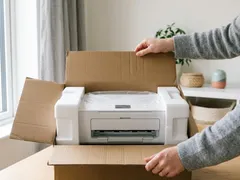 SetupUnboxing and first setup of a new printer9 min read
-
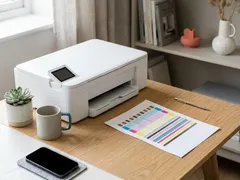 MaintenanceNozzle check and printhead alignment8 min read
-
 TroubleshootingPaper jams: clearing them without tearing7 min read
-
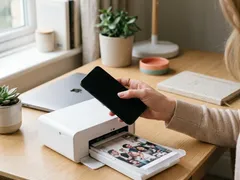 SetupPrint from a phone or tablet over Wi-Fi7 min read
-
 TroubleshootingNothing prints: clearing a stuck print queue8 min read
-
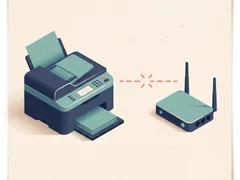 TroubleshootingPrinter shows offline: what to check, in order7 min read
-
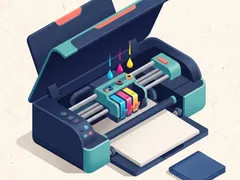 MaintenanceHow to clean a printhead safely6 min read
-
 MaintenanceReducing your cost per page8 min read
-
 TroubleshootingWhy printing is slow, and what speeds it up8 min read
-
 TroubleshootingFixing streaks and lines on printed pages9 min read
-
 SetupConnect a printer with a USB cable7 min read
-
 TroubleshootingPrinter keeps dropping off Wi-Fi9 min read
-
 SetupConnect your printer to Wi-Fi with WPS or manual setup7 min read
Official manufacturer resources
For your exact model, the manual and the maker's website are the authoritative source.
- HP — manuals, drivers and product help (hp.com) (opens in a new tab)
- Canon — manuals, drivers and product help (usa.canon.com) (opens in a new tab)
- Epson — manuals, drivers and product help (epson.com) (opens in a new tab)
- Brother — manuals, drivers and product help (brother.com) (opens in a new tab)
- Xerox — manuals, drivers and product help (xerox.com) (opens in a new tab)
- Lexmark — manuals, drivers and product help (lexmark.com) (opens in a new tab)
- Kyocera — manuals, drivers and product help (kyoceradocumentsolutions.us) (opens in a new tab)
- Ricoh — manuals, drivers and product help (ricoh-usa.com) (opens in a new tab)
Keep reading
Not sure this is the right type for you?
Compare all eight side by side, or read our neutral buying guides before you decide.