Tiny droplets, big flexibility
Inkjet printers
The everyday home printer: affordable to buy, good at color, happy with photos and documents alike.
- Upfront cost: Low
- Running cost: High
- Speed: Medium
- Color: Yes
Independent guide — not affiliated with any manufacturer. For warranty or official support, contact the maker of your printer.
Overview
An inkjet printer builds a page out of microscopic drops of liquid ink fired from a printhead that sweeps back and forth across the paper. Because it places color drop by drop, it handles everything from a school worksheet to a glossy photo on the same machine.
Inkjets are usually the cheapest printers to buy, and that is exactly why their running costs deserve attention. Ink is used in small cartridges, and a printer that sits unused for weeks can dry out its nozzles. For light, mixed home printing they remain the most flexible choice.
How it works
-
The page feeds in
Rollers pull one sheet from the tray and hold it flat under the printhead.
-
The carriage sweeps
The printhead rides on a belt-driven carriage that moves across the width of the page, one band at a time.
-
Nozzles fire droplets
Hundreds of nozzles release drops measured in picoliters, using either a tiny heater that makes a vapor bubble or a vibrating crystal that squeezes ink out.
-
Colors blend on paper
Cyan, magenta, yellow and black dots overlap in dense patterns, and your eye reads them as smooth color. The paper steps forward and the next band begins.
Pros and cons
| Pros | Cons |
|---|---|
| Low purchase price | Ink cartridges make cost per page relatively high |
| Excellent color and photo quality | Nozzles can dry out if the printer is rarely used |
| Prints on many paper types, including glossy and card | Slower than laser for long text documents |
| Compact and quiet for home use | Water-based dye ink can smudge when wet |
Best for
-
Mixed home printing
Homework, forms, the occasional photo or craft project.
-
Low monthly volume
A few dozen pages a month, where a low purchase price matters most.
-
Color on a budget
Anyone who wants color without paying laser-printer prices.
What it costs to run
Inkjet running costs are driven by the price of cartridges compared with how many pages each one prints. Standard cartridges are often small, so the cost per page tends to be higher than an ink-tank or laser printer, especially for color.
Ink is also used for cleaning cycles that keep the nozzles healthy. Printing something small every week or so usually wastes less ink than letting the printer sit and then running repeated cleanings.
Higher-capacity cartridges, when your model accepts them, generally lower the cost per page. Compare yields printed on the box rather than the cartridge price alone.
Prices and page yields vary by model and change over time, so we do not quote figures here. Our guide to calculating cost per page shows how to compare any two printers yourself.
Guides for inkjet printers
-
 SetupAdd a printer to your computer, step by step8 min read
-
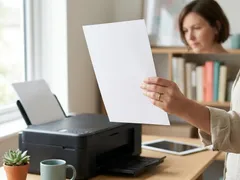 TroubleshootingPrinter prints blank pages8 min read
-
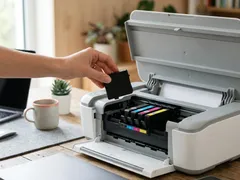 TroubleshootingCartridge not recognized: general checks7 min read
-
 MaintenanceChoosing the right paper for every print8 min read
-
 TroubleshootingFaded or missing colors in your prints8 min read
-
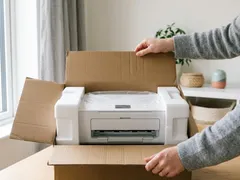 SetupUnboxing and first setup of a new printer9 min read
-
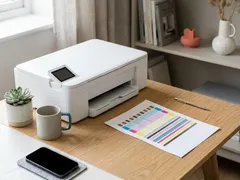 MaintenanceNozzle check and printhead alignment8 min read
-
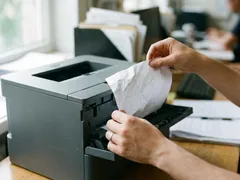 TroubleshootingPaper jams: clearing them without tearing7 min read
-
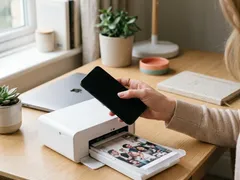 SetupPrint from a phone or tablet over Wi-Fi7 min read
-
 TroubleshootingNothing prints: clearing a stuck print queue8 min read
-
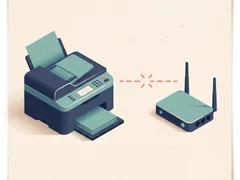 TroubleshootingPrinter shows offline: what to check, in order7 min read
-
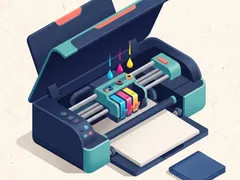 MaintenanceHow to clean a printhead safely6 min read
-
 MaintenanceReducing your cost per page8 min read
-
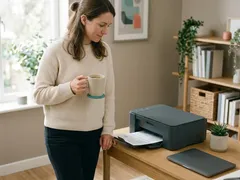 TroubleshootingWhy printing is slow, and what speeds it up8 min read
-
 TroubleshootingFixing streaks and lines on printed pages9 min read
-
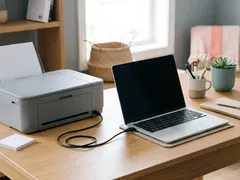 SetupConnect a printer with a USB cable7 min read
-
 TroubleshootingPrinter keeps dropping off Wi-Fi9 min read
-
 SetupConnect your printer to Wi-Fi with WPS or manual setup7 min read
Official manufacturer resources
For your exact model, the manual and the maker's website are the authoritative source.
- HP — manuals, drivers and product help (hp.com) (opens in a new tab)
- Canon — manuals, drivers and product help (usa.canon.com) (opens in a new tab)
- Epson — manuals, drivers and product help (epson.com) (opens in a new tab)
- Brother — manuals, drivers and product help (brother.com) (opens in a new tab)
- Xerox — manuals, drivers and product help (xerox.com) (opens in a new tab)
- Lexmark — manuals, drivers and product help (lexmark.com) (opens in a new tab)
- Kyocera — manuals, drivers and product help (kyoceradocumentsolutions.us) (opens in a new tab)
- Ricoh — manuals, drivers and product help (ricoh-usa.com) (opens in a new tab)
Keep reading
Not sure this is the right type for you?
Compare all eight side by side, or read our neutral buying guides before you decide.