Static, powder and heat
Laser printers
Fast, crisp text and a low cost per page. The workhorse for documents.
- Upfront cost: Medium
- Running cost: Low
- Speed: High
- Color: Some models
Independent guide — not affiliated with any manufacturer. For warranty or official support, contact the maker of your printer.
Overview
A laser printer does not spray anything. It draws your page as a pattern of static electricity on a rotating drum, lets fine powder called toner cling to that pattern, transfers it onto paper, and melts it in place with heat. The result is sharp text that does not smear, delivered quickly.
Monochrome laser printers are the classic choice for anyone who prints a lot of documents. Color laser models exist too; they cost more to buy and are great for charts and business graphics, though photo printing is not their strength.
How it works
-
The drum is charged
A light-sensitive drum receives an even electrostatic charge as it turns.
-
A laser draws the page
A laser beam, steered by a spinning mirror, discharges the drum wherever text or images should appear.
-
Toner sticks to the image
Charged toner powder is attracted only to the drawn areas, then transferred to the paper as it rolls past.
-
Heat fuses it
The page passes between hot fuser rollers that melt the toner into the fibers, which is why pages come out warm.
Pros and cons
| Pros | Cons |
|---|---|
| Low cost per page for text | Higher upfront price, particularly for color models |
| Fast, especially on long documents | Not ideal for photos or glossy paper |
| Sharp text that does not smudge when wet | Larger and heavier than most inkjets |
| Toner does not dry out between uses | Toner and drum replacements cost more each time, though they last much longer |
Best for
-
Document-heavy households
Contracts, school reports, recipes, tickets: lots of black text.
-
Home offices
Steady weekly volume where speed and reliability matter.
-
Occasional users
People who print rarely and are tired of dried-out ink.
What it costs to run
Toner cartridges cost more than ink cartridges but print many more pages, so the cost per page for black text is usually among the lowest of any printer type.
Some models use a separate drum unit that is replaced less often than toner. Factor both into your comparison when the printer uses them.
Color laser printers need four toners. Their cost per color page is typically lower than a cartridge inkjet but higher than an ink-tank printer.
Prices and page yields vary by model and change over time, so we do not quote figures here. Our guide to calculating cost per page shows how to compare any two printers yourself.
Guides for laser printers
-
 SetupAdd a printer to your computer, step by step8 min read
-
 TroubleshootingPrinter prints blank pages8 min read
-
 MaintenanceChoosing the right paper for every print8 min read
-
 SetupUnboxing and first setup of a new printer9 min read
-
 TroubleshootingSmudged or ghosted prints from a laser printer8 min read
-
 MaintenanceCaring for laser toner and drum units8 min read
-
 TroubleshootingPaper jams: clearing them without tearing7 min read
-
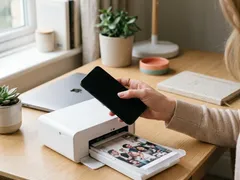 SetupPrint from a phone or tablet over Wi-Fi7 min read
-
 TroubleshootingNothing prints: clearing a stuck print queue8 min read
-
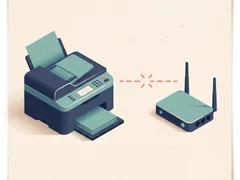 TroubleshootingPrinter shows offline: what to check, in order7 min read
-
 MaintenanceReducing your cost per page8 min read
-
 TroubleshootingWhy printing is slow, and what speeds it up8 min read
-
 TroubleshootingFixing streaks and lines on printed pages9 min read
-
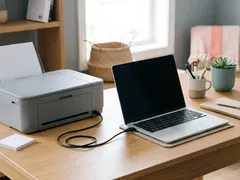 SetupConnect a printer with a USB cable7 min read
-
 TroubleshootingPrinter keeps dropping off Wi-Fi9 min read
-
 SetupConnect your printer to Wi-Fi with WPS or manual setup7 min read
Official manufacturer resources
For your exact model, the manual and the maker's website are the authoritative source.
- HP — manuals, drivers and product help (hp.com) (opens in a new tab)
- Canon — manuals, drivers and product help (usa.canon.com) (opens in a new tab)
- Epson — manuals, drivers and product help (epson.com) (opens in a new tab)
- Brother — manuals, drivers and product help (brother.com) (opens in a new tab)
- Xerox — manuals, drivers and product help (xerox.com) (opens in a new tab)
- Lexmark — manuals, drivers and product help (lexmark.com) (opens in a new tab)
- Kyocera — manuals, drivers and product help (kyoceradocumentsolutions.us) (opens in a new tab)
- Ricoh — manuals, drivers and product help (ricoh-usa.com) (opens in a new tab)
Keep reading
Not sure this is the right type for you?
Compare all eight side by side, or read our neutral buying guides before you decide.