Print, scan, copy
All-in-one printers
One machine that prints, scans and copies, and sometimes faxes. Inkjet or laser inside.
- Upfront cost: Medium
- Running cost: Medium
- Speed: Medium
- Color: Yes
Independent guide — not affiliated with any manufacturer. For warranty or official support, contact the maker of your printer.
Overview
All-in-one describes what a printer does, not how it prints. It combines a printer with a flatbed scanner, so it can also copy, and some models add a document feeder or fax. The printing part can be inkjet, ink-tank or laser.
For most homes an all-in-one is the default choice, because scanning a form or copying an ID often matters as much as printing. The trade-off is a bigger footprint and a few more things that can need attention.
How it works
-
Lift the lid and scan
A bright light bar moves under the glass, and a sensor records the light reflected from your page.
-
The image is digitized
The scanner turns that light into a digital image, which can be saved, emailed or sent straight to print.
-
The printer engine prints
To copy, the image goes to the built-in inkjet or laser engine, which prints it like any other page.
-
A feeder handles stacks
Models with an automatic document feeder pull multi-page originals through one at a time.
Pros and cons
| Pros | Cons |
|---|---|
| Prints, scans and copies in one device | Larger and heavier than print-only models |
| Saves desk space compared with separate machines | More parts that can jam or need cleaning |
| Document feeders speed up multi-page scans | Scanner quality varies widely between models |
| Available with inkjet, ink-tank or laser engines | Running cost depends entirely on the print engine inside |
Best for
-
Most households
Printing plus the occasional scan of a form, receipt or ID.
-
Remote workers
Signing, scanning and returning documents without a trip out.
-
Students
Scanning notes and copying reading material.
What it costs to run
An all-in-one costs as much to run as the print engine inside it. An all-in-one inkjet behaves like an inkjet, an all-in-one laser like a laser.
Scanning uses no ink or toner, so if you mainly scan, the running cost is very low.
Copying counts as printing. Large copy jobs use consumables exactly like printed pages.
Prices and page yields vary by model and change over time, so we do not quote figures here. Our guide to calculating cost per page shows how to compare any two printers yourself.
Guides for all-in-one printers
-
 SetupAdd a printer to your computer, step by step8 min read
-
 TroubleshootingPrinter prints blank pages8 min read
-
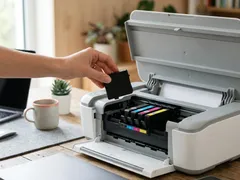 TroubleshootingCartridge not recognized: general checks7 min read
-
 MaintenanceChoosing the right paper for every print8 min read
-
 TroubleshootingFaded or missing colors in your prints8 min read
-
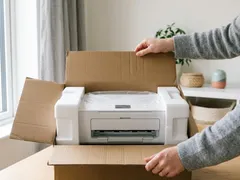 SetupUnboxing and first setup of a new printer9 min read
-
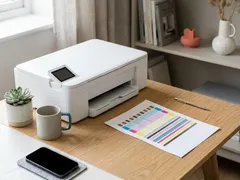 MaintenanceNozzle check and printhead alignment8 min read
-
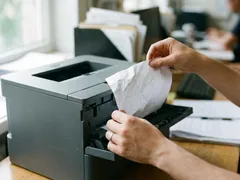 TroubleshootingPaper jams: clearing them without tearing7 min read
-
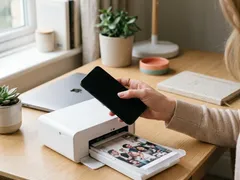 SetupPrint from a phone or tablet over Wi-Fi7 min read
-
 TroubleshootingNothing prints: clearing a stuck print queue8 min read
-
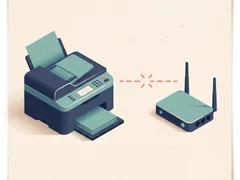 TroubleshootingPrinter shows offline: what to check, in order7 min read
-
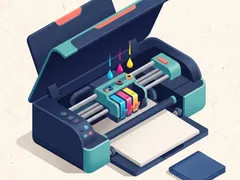 MaintenanceHow to clean a printhead safely6 min read
-
 MaintenanceReducing your cost per page8 min read
-
 TroubleshootingWhy printing is slow, and what speeds it up8 min read
-
 TroubleshootingFixing streaks and lines on printed pages9 min read
-
 SetupConnect a printer with a USB cable7 min read
-
 TroubleshootingPrinter keeps dropping off Wi-Fi9 min read
-
 SetupConnect your printer to Wi-Fi with WPS or manual setup7 min read
Official manufacturer resources
For your exact model, the manual and the maker's website are the authoritative source.
- HP — manuals, drivers and product help (hp.com) (opens in a new tab)
- Canon — manuals, drivers and product help (usa.canon.com) (opens in a new tab)
- Epson — manuals, drivers and product help (epson.com) (opens in a new tab)
- Brother — manuals, drivers and product help (brother.com) (opens in a new tab)
- Xerox — manuals, drivers and product help (xerox.com) (opens in a new tab)
- Lexmark — manuals, drivers and product help (lexmark.com) (opens in a new tab)
- Kyocera — manuals, drivers and product help (kyoceradocumentsolutions.us) (opens in a new tab)
- Ricoh — manuals, drivers and product help (ricoh-usa.com) (opens in a new tab)
Keep reading
Not sure this is the right type for you?
Compare all eight side by side, or read our neutral buying guides before you decide.