More inks, finer detail
Photo printers
Inkjets tuned for pictures: extra ink colors, fine droplets and paper made for prints.
- Upfront cost: Medium
- Running cost: High
- Speed: Low
- Color: Yes
Independent guide — not affiliated with any manufacturer. For warranty or official support, contact the maker of your printer.
Overview
A photo printer is an inkjet designed to reproduce photographs. Many add extra inks, such as light cyan, light magenta or grey, so skin tones and skies look smooth instead of dotty. Some compact models print only small postcard-size prints, while larger ones handle big enlargements.
A separate family of compact photo printers uses dye-sublimation: heat transfers dye from a ribbon onto special paper, producing continuous-tone prints with a protective coat.
How it works
-
Extra inks are loaded
Beyond the usual four, photo models often carry lighter shades and extra blacks for smoother gradients.
-
Droplets get smaller
Very fine droplets are placed densely so individual dots disappear at normal viewing distance.
-
Coated paper holds the ink
Photo paper has a coating that keeps each drop sharp and dries fast, rather than letting it spread into the fibers.
-
Layers build the image
The head makes several careful passes to blend tones, which is why photo prints take longer than documents.
Pros and cons
| Pros | Cons |
|---|---|
| Smooth gradients and natural skin tones | Highest cost per page of any type, especially on photo paper |
| Handles glossy, matte and fine-art papers | Slow for everyday documents |
| Borderless printing on most models | Extra ink colors mean more cartridges to replace |
| Compact models print straight from a camera card or phone | Prints can fade if displayed in direct sunlight with dye inks |
Best for
-
Photographers and hobbyists
People who want control over their own prints.
-
Scrapbooking and crafts
Frequent small prints for albums and projects.
-
Gifts and keepsakes
Framed prints, cards and calendars made at home.
What it costs to run
Photo printing is the most expensive printing per page, because a full-color photo uses a lot of ink and good paper costs more than plain paper.
Pigment inks generally last longer on display; dye inks often give richer color on glossy paper. Choose based on how you will use the prints.
For a handful of prints a year, a print shop may cost less. For regular printing, a home photo printer gives you control and convenience.
Prices and page yields vary by model and change over time, so we do not quote figures here. Our guide to calculating cost per page shows how to compare any two printers yourself.
Guides for photo printers
-
 SetupAdd a printer to your computer, step by step8 min read
-
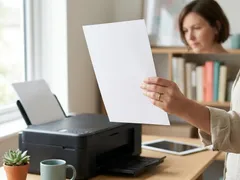 TroubleshootingPrinter prints blank pages8 min read
-
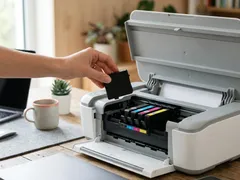 TroubleshootingCartridge not recognized: general checks7 min read
-
 MaintenanceChoosing the right paper for every print8 min read
-
 TroubleshootingFaded or missing colors in your prints8 min read
-
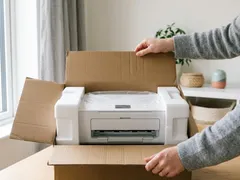 SetupUnboxing and first setup of a new printer9 min read
-
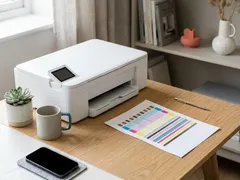 MaintenanceNozzle check and printhead alignment8 min read
-
 TroubleshootingPaper jams: clearing them without tearing7 min read
-
 SetupPrint from a phone or tablet over Wi-Fi7 min read
-
 TroubleshootingNothing prints: clearing a stuck print queue8 min read
-
 TroubleshootingPrinter shows offline: what to check, in order7 min read
-
 MaintenanceHow to clean a printhead safely6 min read
-
 MaintenanceReducing your cost per page8 min read
-
 TroubleshootingWhy printing is slow, and what speeds it up8 min read
-
 TroubleshootingFixing streaks and lines on printed pages9 min read
-
 SetupConnect a printer with a USB cable7 min read
-
 TroubleshootingPrinter keeps dropping off Wi-Fi9 min read
-
 SetupConnect your printer to Wi-Fi with WPS or manual setup7 min read
Official manufacturer resources
For your exact model, the manual and the maker's website are the authoritative source.
- HP — manuals, drivers and product help (hp.com) (opens in a new tab)
- Canon — manuals, drivers and product help (usa.canon.com) (opens in a new tab)
- Epson — manuals, drivers and product help (epson.com) (opens in a new tab)
- Brother — manuals, drivers and product help (brother.com) (opens in a new tab)
- Xerox — manuals, drivers and product help (xerox.com) (opens in a new tab)
- Lexmark — manuals, drivers and product help (lexmark.com) (opens in a new tab)
- Kyocera — manuals, drivers and product help (kyoceradocumentsolutions.us) (opens in a new tab)
- Ricoh — manuals, drivers and product help (ricoh-usa.com) (opens in a new tab)
Keep reading
Not sure this is the right type for you?
Compare all eight side by side, or read our neutral buying guides before you decide.