Author
[AUTHOR NAME]
[AUTHOR ROLE]
About the author
[AUTHOR BIO]
Guides by [AUTHOR NAME] 28
-
 Setup8 min readAdd a printer to your computer, step by stepHow to add a USB or network printer from your computer's printer settings, install the right
driver, set it as default and print a first test page.
Setup8 min readAdd a printer to your computer, step by stepHow to add a USB or network printer from your computer's printer settings, install the right
driver, set it as default and print a first test page.
-
 Troubleshooting8 min readPrinter prints blank pagesWhy pages come out empty, from protective tape and empty cartridges to clogged nozzles and print
settings, and how to check each cause in order.
Troubleshooting8 min readPrinter prints blank pagesWhy pages come out empty, from protective tape and empty cartridges to clogged nozzles and print
settings, and how to check each cause in order.
-
 Troubleshooting7 min readCartridge not recognized: general checksWhen a printer will not accept an ink cartridge: seating, protective tape, dirty contacts, the
right model number and region settings, checked in order.
Troubleshooting7 min readCartridge not recognized: general checksWhen a printer will not accept an ink cartridge: seating, protective tape, dirty contacts, the
right model number and region settings, checked in order.
-
 Maintenance8 min readChoosing the right paper for every printPaper weight, brightness, finish and size explained in plain terms, with the right choice for
everyday documents, photos, cards and laser printers.
Maintenance8 min readChoosing the right paper for every printPaper weight, brightness, finish and size explained in plain terms, with the right choice for
everyday documents, photos, cards and laser printers.
-
 6 min readUnderstanding cost per pageHow to compare printers by what you will actually spend on ink or toner over time, with a simple
calculation you can do in two minutes.
6 min readUnderstanding cost per pageHow to compare printers by what you will actually spend on ink or toner over time, with a simple
calculation you can do in two minutes.
-
 Troubleshooting8 min readFaded or missing colors in your printsPale prints or a color that has gone missing: how to check ink levels, quality settings, paper type
and nozzles, and what to do when one color will not print.
Troubleshooting8 min readFaded or missing colors in your printsPale prints or a color that has gone missing: how to check ink levels, quality settings, paper type
and nozzles, and what to do when one color will not print.
-
 Setup9 min readUnboxing and first setup of a new printerFrom the box to a first clean page: removing packing tape, installing ink or toner, loading paper,
running alignment and choosing how to connect.
Setup9 min readUnboxing and first setup of a new printerFrom the box to a first clean page: removing packing tape, installing ink or toner, loading paper,
running alignment and choosing how to connect.
-
 Learn10 min readPrinter glossary: DPI, duplex, ADF, PPM and morePrinter specification terms explained in plain language, from DPI and PPM to duplex, ADF, duty
cycle, toner, drum, pigment and dye, plus how to use them.
Learn10 min readPrinter glossary: DPI, duplex, ADF, PPM and morePrinter specification terms explained in plain language, from DPI and PPM to duplex, ADF, duty
cycle, toner, drum, pigment and dye, plus how to use them.
-
 8 min readHome or office printer: matching the machine to the jobHow home and office printing needs differ, from volume and paper handling to sharing and security,
and how to choose a printer for each setting.
8 min readHome or office printer: matching the machine to the jobHow home and office printing needs differ, from volume and paper handling to sharing and security,
and how to choose a printer for each setting.
-
 Learn9 min readHow printers work: inkjet, laser and thermalA plain explanation of how inkjet, laser and thermal printers put an image on paper, and what each
process means for quality, speed, cost and upkeep.
Learn9 min readHow printers work: inkjet, laser and thermalA plain explanation of how inkjet, laser and thermal printers put an image on paper, and what each
process means for quality, speed, cost and upkeep.
-
 10 min readHow to choose a printer that suits youA plain, step-by-step way to choose a printer: what you print, how much, which technology fits, the
features worth paying for and the costs to compare.
10 min readHow to choose a printer that suits youA plain, step-by-step way to choose a printer: what you print, how much, which technology fits, the
features worth paying for and the costs to compare.
-
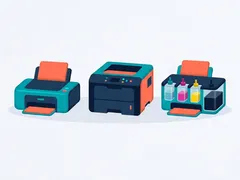 9 min readInkjet vs laser vs ink-tank: which suits youA plain comparison of cartridge inkjet, ink-tank and laser printers: print quality, speed, upkeep,
running cost and the kind of user each one suits best.
9 min readInkjet vs laser vs ink-tank: which suits youA plain comparison of cartridge inkjet, ink-tank and laser printers: print quality, speed, upkeep,
running cost and the kind of user each one suits best.
-
 Setup8 min readSet up a label or thermal printerHow direct thermal and thermal transfer printers work, how to load labels correctly, calibrate the
label size and print clean shipping or barcode labels.
Setup8 min readSet up a label or thermal printerHow direct thermal and thermal transfer printers work, how to load labels correctly, calibrate the
label size and print clean shipping or barcode labels.
-
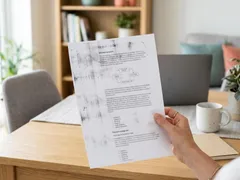 Troubleshooting8 min readSmudged or ghosted prints from a laser printerWhy laser prints smear, rub off or show faint repeated images, and how to check paper, settings,
toner, drum and fuser in a safe, logical order.
Troubleshooting8 min readSmudged or ghosted prints from a laser printerWhy laser prints smear, rub off or show faint repeated images, and how to check paper, settings,
toner, drum and fuser in a safe, logical order.
-
 Maintenance8 min readCaring for laser toner and drum unitsHow to store, handle and replace laser toner and drum units, read low-toner warnings correctly and
keep a laser printer producing clean, sharp pages.
Maintenance8 min readCaring for laser toner and drum unitsHow to store, handle and replace laser toner and drum units, read low-toner warnings correctly and
keep a laser printer producing clean, sharp pages.
-
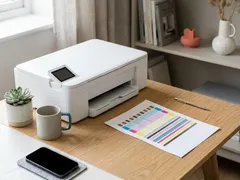 Maintenance8 min readNozzle check and printhead alignmentHow to print and read a nozzle check pattern, when to clean and when to wait, and how to align the
printhead for sharp text and straight lines.
Maintenance8 min readNozzle check and printhead alignmentHow to print and read a nozzle check pattern, when to clean and when to wait, and how to align the
printhead for sharp text and straight lines.
-
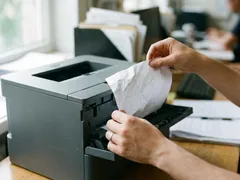 Troubleshooting7 min readPaper jams: clearing them without tearingWhere jams hide, the gentle way to pull paper free so no scraps stay inside, and the habits that
make jams much less likely.
Troubleshooting7 min readPaper jams: clearing them without tearingWhere jams hide, the gentle way to pull paper free so no scraps stay inside, and the habits that
make jams much less likely.
-
 Learn8 min readPigment vs dye ink: what the difference means for youHow pigment and dye inks differ in sharpness, color, fade resistance and water resistance, which
papers suit each, and how to tell which your printer uses.
Learn8 min readPigment vs dye ink: what the difference means for youHow pigment and dye inks differ in sharpness, color, fade resistance and water resistance, which
papers suit each, and how to tell which your printer uses.
-
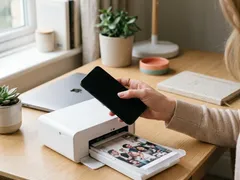 Setup7 min readPrint from a phone or tablet over Wi-FiWhat your network and printer need for mobile printing, how to send a page from a phone or tablet,
and what to check when the printer does not appear.
Setup7 min readPrint from a phone or tablet over Wi-FiWhat your network and printer need for mobile printing, how to send a page from a phone or tablet,
and what to check when the printer does not appear.
-
 Troubleshooting8 min readNothing prints: clearing a stuck print queueWhen jobs sit in the queue and nothing comes out: how to cancel stuck documents, restart the print
queue on your computer and get printing again.
Troubleshooting8 min readNothing prints: clearing a stuck print queueWhen jobs sit in the queue and nothing comes out: how to cancel stuck documents, restart the print
queue on your computer and get printing again.
-
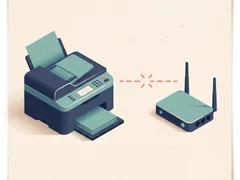 Troubleshooting7 min readPrinter shows offline: what to check, in orderWork from the simplest cause to the least likely: power, network, a stuck queue, a changed address
or an old printer entry on your computer.
Troubleshooting7 min readPrinter shows offline: what to check, in orderWork from the simplest cause to the least likely: power, network, a stuck queue, a changed address
or an old printer entry on your computer.
-
 Maintenance6 min readHow to clean a printhead safelyWhen a cleaning cycle helps, when it only wastes ink, and how to do a careful manual clean on
printers that allow it.
Maintenance6 min readHow to clean a printhead safelyWhen a cleaning cycle helps, when it only wastes ink, and how to do a careful manual clean on
printers that allow it.
-
 Maintenance8 min readReducing your cost per pagePractical ways to spend less on ink, toner and paper: smarter settings, high-yield supplies,
two-sided printing and habits that prevent wasted pages.
Maintenance8 min readReducing your cost per pagePractical ways to spend less on ink, toner and paper: smarter settings, high-yield supplies,
two-sided printing and habits that prevent wasted pages.
-
 Troubleshooting8 min readWhy printing is slow, and what speeds it upSlow first pages, slow photos or slow wireless jobs: what affects print speed, which settings help,
and when the connection or file is the real bottleneck.
Troubleshooting8 min readWhy printing is slow, and what speeds it upSlow first pages, slow photos or slow wireless jobs: what affects print speed, which settings help,
and when the connection or file is the real bottleneck.
-
 Troubleshooting9 min readFixing streaks and lines on printed pagesRead the pattern of streaks or lines to find the cause, then fix it: nozzle checks, alignment,
paper settings and, on laser printers, the drum and toner.
Troubleshooting9 min readFixing streaks and lines on printed pagesRead the pattern of streaks or lines to find the cause, then fix it: nozzle checks, alignment,
paper settings and, on laser printers, the drum and toner.
-
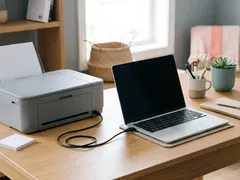 Setup7 min readConnect a printer with a USB cableThe right cable, the right order to plug things in, and how to confirm your computer has set up a
USB printer correctly, with fixes for common hiccups.
Setup7 min readConnect a printer with a USB cableThe right cable, the right order to plug things in, and how to confirm your computer has set up a
USB printer correctly, with fixes for common hiccups.
-
 Troubleshooting9 min readPrinter keeps dropping off Wi-FiWhy a wireless printer keeps losing its connection, and the fixes that work: placement, sleep
settings, network band, router changes and a fixed IP address.
Troubleshooting9 min readPrinter keeps dropping off Wi-FiWhy a wireless printer keeps losing its connection, and the fixes that work: placement, sleep
settings, network band, router changes and a fixed IP address.
-
 Setup7 min readConnect your printer to Wi-Fi with WPS or manual setupBoth routes, side by side: the one-button WPS method and manual setup from the printer's menu,
plus how to add the printer and confirm it works.
Setup7 min readConnect your printer to Wi-Fi with WPS or manual setupBoth routes, side by side: the one-button WPS method and manual setup from the printer's menu,
plus how to add the printer and confirm it works.